CRON JOBS
Vercel Cron Jobs provide a mechanism to schedule and automate repetitive tasks within your Vercel deployments. They allow you to define specific times or intervals at which Vercel will trigger an HTTP request to a designated API endpoint or Vercel Function within your project.
Since we are using Subscription system inside our app, therefore we need a automation to track the user subscription details to upgrade or downgrade user according to subscription info.
This automation system can be easily acheived by using Vercel built in CRON JOBS functionality.
Enabling CRON JOBS
Follow below steps:
-
Login to vercel dahboard.
-
Slect your app project.
-
Then go to
Settingstab. -
Then from left side select
Cron Jobsoption. -
Turn on Cron jobs by clicking on
Enablebutton.
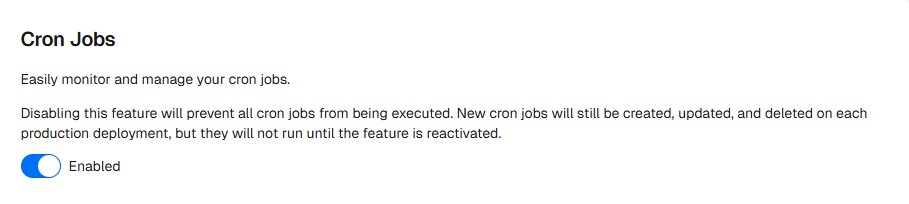
- Now again redeploy your app to take effect changes.
- Go to Deployments tab inside your project.
- Under Deployments list, choose first very top current build and click on menu button.
- A popup will appear and select first option of Redeploy. It will redeploy your latest build.
Verify CRON JOBS
After redeployment of app:
-
Login to vercel dahboard.
-
Slect your app project.
-
Then go to
Settingstab. -
Then from left side select
Cron Jobsoption. -
Now you can see /api path as shown in below image.

If there is no /api/check-subscriptions like path you can see, that means that your CRON JOBS automation is not configured correctly and likely it is at source code side.
- You can contact us via Discord Server.