Add Custom Domain Inside Appwrite Console
1- Log in to the Appwrite Console and navigate to the desired project.
2- In the left sidebar, click on the Settings tab.
3- Select the Custom domains section.
4- Click on Add Domain button.
5- Enter your custom domain and click on Add Button .
Help
If you have buy the domain name from Go Daddy, Hostinger, namecheap etc or whatever registrar like mytestdomain.com , then:
-
Your subdomain can be like
api.mytestdomain.comOR -
auth.mytestdomain.com
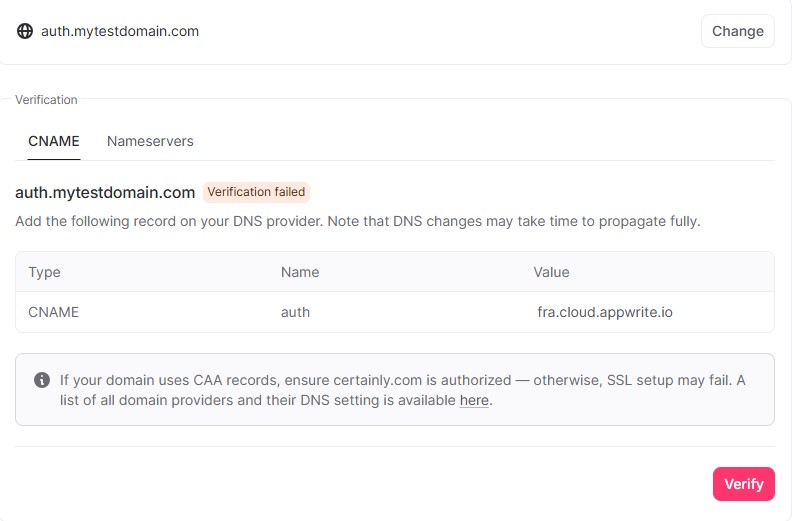
6- Click on verify button.
Domain verification Failed?
Don't worry, its just a start. Still we need to do some additional configuration to rightly add custom domain.
See next sections...